
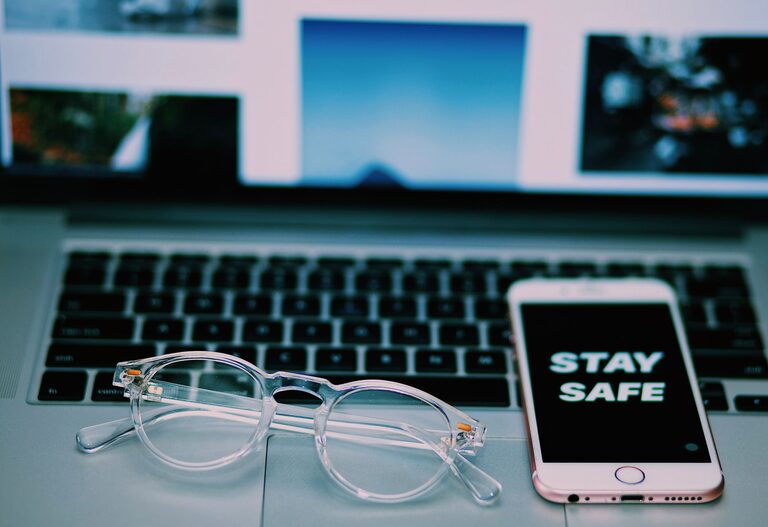
How to Clean Your Phone and Keyboard Safely Without Damage
Keeping your phone and keyboard clean is essential not only for hygiene but also for maintaining their performance and longevity. Everyday use exposes these devices to dirt, oils, dust, and germs. However, cleaning them requires care to avoid damaging sensitive components. In this guide, we’ll walk you through safe methods to clean your phone and keyboard effectively.
Why Clean Your Phone and Keyboard?
Phones and keyboards are among the most touched items daily. Over time, they accumulate bacteria, food particles, dust, and oils from your skin. Cleaning them regularly helps:
– Reduce germs and improve hygiene
– Prevent sticky or unresponsive keys
– Maintain clarity of phone screens
– Extend the life of your devices
General Safety Tips Before Cleaning
– Turn off and unplug devices. Always power down your phone or keyboard before cleaning to avoid damage or electric shock.
– Avoid harsh chemicals. Strong solvents like bleach or ammonia can harm screens and plastic surfaces.
– Use gentle materials. Soft lint-free cloths, microfiber cloths, and cotton swabs are ideal.
– Do not spray liquids directly. Apply cleaning solutions on the cloth, not the device.
How to Clean Your Phone Safely
What You Need
– Microfiber cloth
– Isopropyl alcohol (70% or less) or disinfectant wipes safe for electronics
– Distilled water (optional)
– Cotton swabs
Step-by-Step Guide
- **Power off your phone.** Remove the case if you use one.
- **Prepare your cleaning solution.** You can lightly dampen a microfiber cloth with a mixture of 50% distilled water and 50% isopropyl alcohol or use pre-moistened wipes.
- **Wipe the screen and body.** Gently rub the screen, backs, and sides with the dampened cloth. Avoid excessive moisture, especially near ports and buttons.
- **Clean small areas with cotton swabs.** Dip a cotton swab lightly in the solution to reach edges, speaker grills, or camera lenses.
- **Dry thoroughly.** Use a dry microfiber cloth to remove moisture and buff the surface.
- **Clean your phone case separately.** Wash silicone or plastic cases with soap and water, and dry completely before reassembling.
How to Clean Your Keyboard Safely
What You Need
– Compressed air canister
– Soft brush or keyboard cleaning brush
– Microfiber cloth
– Isopropyl alcohol (70% or less)
– Cotton swabs
Step-by-Step Guide
- **Turn off and unplug the keyboard.** For wireless keyboards, remove batteries if possible.
- **Remove debris.** Use compressed air to blow out dust and crumbs between keys. Hold the keyboard upside down and tap gently to dislodge particles.
- **Brush the keys.** A soft brush helps remove remaining dirt on and around keys without scratching.
- **Wipe the surface.** Lightly dampen a microfiber cloth with a mix of isopropyl alcohol and water (50:50) and wipe the keys and keyboard surface. Avoid excess liquid.
- **Detail with cotton swabs.** Slightly dampen cotton swabs to clean tight spaces or key edges carefully.
- **Dry and reassemble.** Use a dry cloth to remove any moisture before plugging in or powering on.
Additional Tips for Both Devices
– Frequency: Clean your phone and keyboard at least once a week, or more often if used heavily or during illness.
– Avoid abrasive materials: Paper towels and rough cloths can scratch surfaces.
– Be gentle with screens: Pressure can damage touchscreen layers.
– Use screen protectors and keyboard covers: These can make cleaning easier and protect from dirt and spills.
– Wash your hands regularly: Keeping hands clean reduces buildup on devices.
What to Avoid When Cleaning Electronics
– Bleach, ammonia, and window cleaners
– Excessive moisture or soaking
– Sharp tools or abrasive pads
– Spraying liquids directly on the device
– Using abrasive powders or rough towels
Final Thoughts
With regular gentle cleaning, you can keep your phone and keyboard not only looking great but also functioning smoothly and hygienically. By following safe cleaning methods, you avoid damage while removing dirt, oils, and germs. Taking a few minutes each week to care for your devices pays off in improved usability and longevity.
Happy cleaning!
